Public Availability
Public availability lets members record their availability without needing a StationOne login. Once enabled, a QR code link gives any member access to the availability page for your brigade — ideal for members who don’t have or use a StationOne account.
Prerequisites
Section titled “Prerequisites”- Brigade admin or organisation admin role
- Availability module enabled for your brigade
- Public brigade page enabled for your unit
Enable Public Availability
Section titled “Enable Public Availability”1. Open Brigade Settings
Section titled “1. Open Brigade Settings”- Log in to StationOne
- Navigate to Brigade Settings (or Unit Settings)
- Select the Public Page tab
2. Enable the Toggle
Section titled “2. Enable the Toggle”- Find the Public Availability section
- Toggle on Enable Public Availability
- Click Save

Once enabled, a unique public availability URL is generated for your brigade.
Share the Link
Section titled “Share the Link”Your public availability URL looks like:
https://app.stationone.com.au/public/brigades/[unique-token]/availabilityYou can share this link as:
- A QR code — print and display at the station for members to scan
- A direct link — send via email, SMS, or your brigade’s messaging platform
The link is tied to your brigade’s public token. It will not change unless you regenerate the public token.
How Members Use the Public Page
Section titled “How Members Use the Public Page”When a member visits the public availability link:
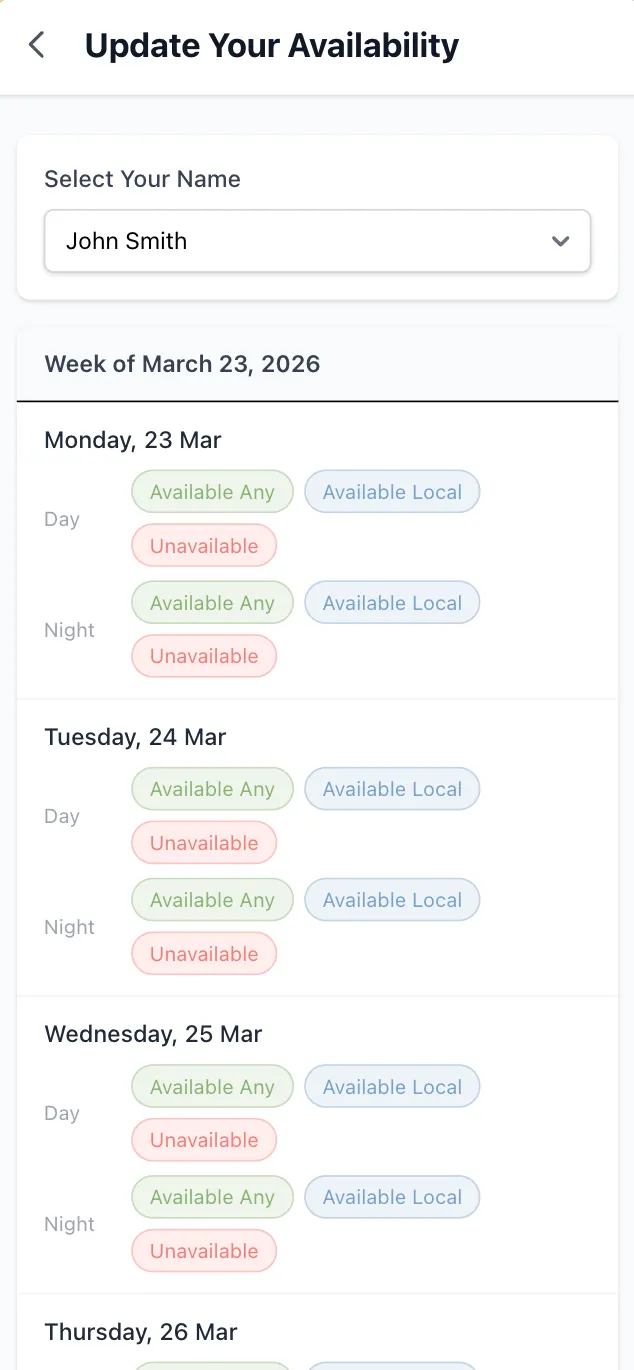
- They select their name from a dropdown list of brigade members
- The two-week availability grid loads for their account
- They click status buttons to record their day and night availability
- If stations are configured, they can select which station they’ll be at
- All changes save automatically — there is no submit button
Members do not need to log in or create an account. Their updates are saved directly to the brigade’s availability records.
Show Brigade Availability Table
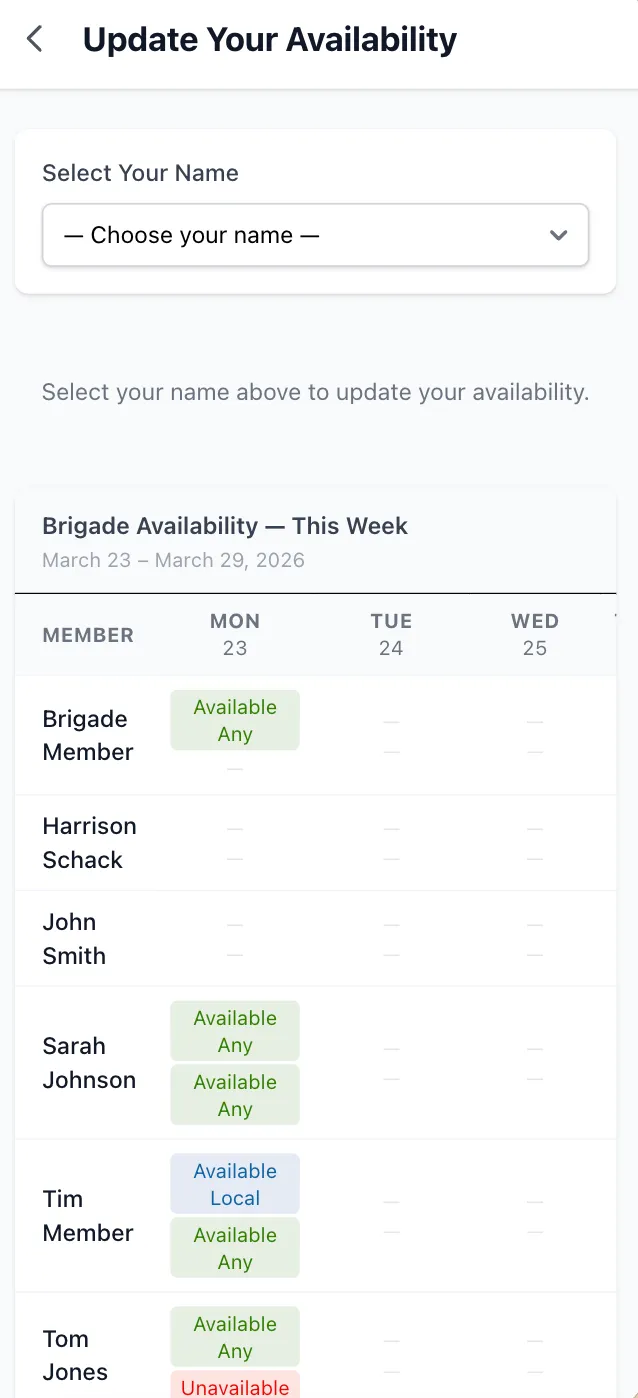
Section titled “Show Brigade Availability Table”You can optionally display a read-only summary of all members’ availability on the public page. This lets members see who else is available for the week before or after updating their own status.
Enable the Brigade Table
Section titled “Enable the Brigade Table”- Go to Brigade Settings → Public Page
- Find Show Brigade Availability on Public Page
- Toggle it on
- Click Save
When enabled, the public page displays a table below the member’s own availability grid showing:
- All brigade members
- Their day and night availability status for each day of the current week
- Station assignments (if configured)
Security Considerations
Section titled “Security Considerations”The public availability page uses your brigade’s public token for access — not individual member accounts. This means:
- Anyone with the link can select any member’s name and update their availability
- Treat the public link like a shared access code — share it with your brigade members, not publicly
- If the link is compromised, regenerate the public token in Brigade Settings → Public Page → Regenerate QR Code. This invalidates the old URL immediately.
Disable Public Availability
Section titled “Disable Public Availability”- Go to Brigade Settings → Public Page
- Toggle off Enable Public Availability
- Click Save
The public availability URL stops working immediately. Members will need to log in to StationOne to update their availability. You can re-enable it at any time.
Print a QR Code for the Station Noticeboard
Section titled “Print a QR Code for the Station Noticeboard”Print the QR code from the brigade settings page and pin it to your noticeboard or whiteboard. Members can scan it on arrival or departure to update their availability quickly.
Combine with the Station Portal
Section titled “Combine with the Station Portal”Public availability works alongside your existing Station Portal. Members can access availability from the same QR code they use for vehicles, events, and other Station Portal features.
Encourage Weekly Updates
Section titled “Encourage Weekly Updates”Availability is most useful when kept current. Remind members to scan the code and update their availability at the start of each week, particularly if your brigade uses the crew status view for operational planning.