Vehicle Management
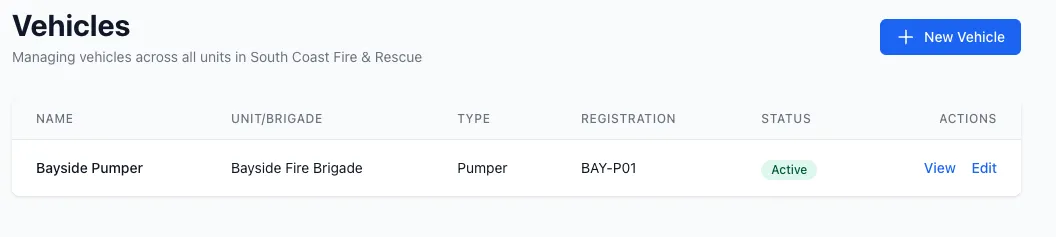
Vehicle Management is a core module for tracking your fire service fleet, scheduling inspections, and managing maintenance.
Overview
Section titled “Overview”The Vehicle Management module allows you to:
- Track all vehicles in your fleet
- Schedule recurring inspections (daily, weekly, monthly, etc.)
- Conduct inspections using customizable templates
- Generate QR codes for public vehicle inspections
- Track vehicle equipment and attachments
- Monitor out-of-service items
- Enable vehicle booking/reservations
Key Features
Section titled “Key Features”Vehicle Records
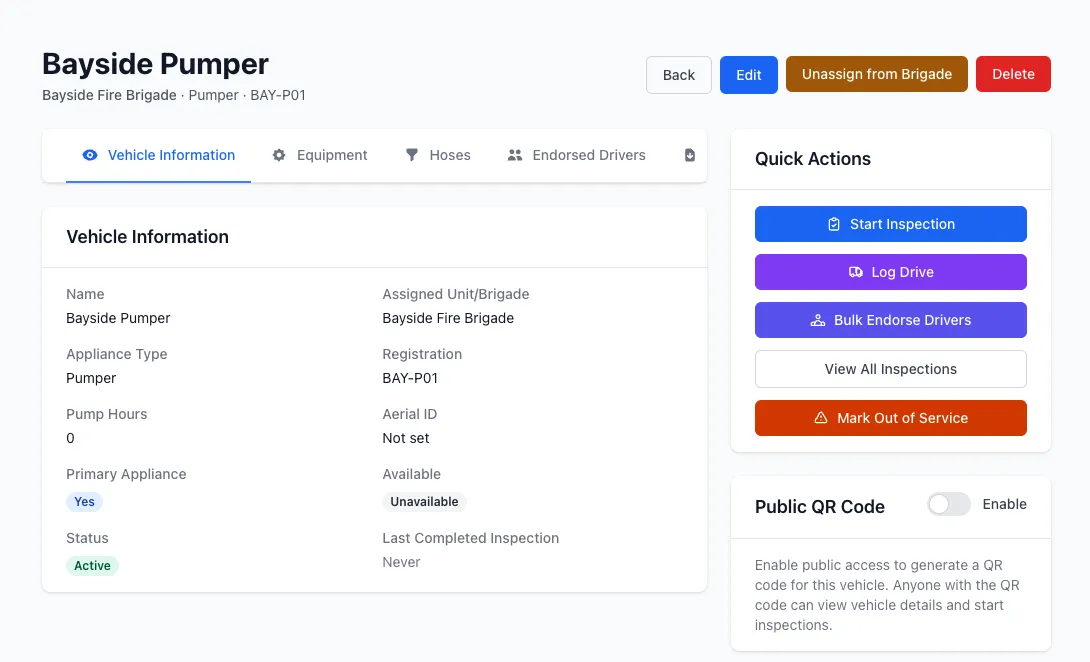
Section titled “Vehicle Records”Each vehicle in StationOne includes:
- Registration and identification - Registration number, call sign, VIN
- Appliance type - Classification (4WD, A-class, B-class, etc.)
- Location - Home station assignment
- Equipment tracking - Mounted equipment that requires inspection
- Default template - Pre-configured inspection checklist
Inspection Scheduling
Section titled “Inspection Scheduling”Vehicles can have multiple inspection schedules with different frequencies:
- Daily (pre-shift checks)
- Weekly
- Fortnightly
- Monthly
- Quarterly
- Semi-Annual
- Annual
- Custom intervals
The system automatically tracks:
- Next due date
- Overdue inspections
- Due soon warnings (7 days by default)
Public Access via QR Codes
Section titled “Public Access via QR Codes”Generate QR codes for vehicles to enable:
- Public inspections by volunteers
- Quick access for non-authenticated users
- Name entry for inspector tracking
- Email notifications to admins upon completion
Public inspections are fully integrated into the same inspection system as internal inspections.
Out of Service Management
Section titled “Out of Service Management”When inspection items fail and are marked out of service:
- Item is flagged and tracked
- Reason and responsible user recorded
- Automatically reinstated when the associated action closes
- Prevents item from being selected in future inspections
Vehicle Bookings
Section titled “Vehicle Bookings”Enable vehicle reservations with:
- Availability tracking
- Approval workflow (pending → approved → cancelled)
- Overlap detection
- Current availability status
Driving Logs
Section titled “Driving Logs”Track vehicle usage and driver skills maintenance with comprehensive driving logs:
Dual Logging Methods:
- Authenticated logging - Admin users can log drives from the vehicle page
- Public logging - QR code access allows anyone to log drives without authentication
Key Features:
- Odometer tracking (start, end, calculated distance)
- Training vs operational drive distinction
- Supervised training drives with endorsement validation
- Driver and supervisor autocomplete
- Real-time distance calculation
- Notes and metadata tracking
Skills Maintenance Support:
- Training drives allow unendorsed drivers with endorsed supervisors
- Operational drives require driver endorsement
- Automatic endorsement validation
- Tracks training drive history per member
Reporting and Statistics:
- Total distance logged (all time)
- Monthly distance tracking
- Yearly distance tracking
- Driver-specific driving history
- Vehicle usage patterns
Validation and Safety:
- Endorsement checks for drivers and supervisors
- Odometer continuity validation
- Distance warnings for unusual readings
- Prevents supervisor/driver conflicts
- Future date prevention
Related Features
Section titled “Related Features”- Inspections - Learn about the inspection system
- Templates - Configure inspection checklists
- Equipment - Track vehicle-mounted equipment
- Actions - Manage maintenance tasks from failed inspections