Hose Management
The Hose Management module provides comprehensive tracking for fire hoses, including test scheduling, repair history, and status management.
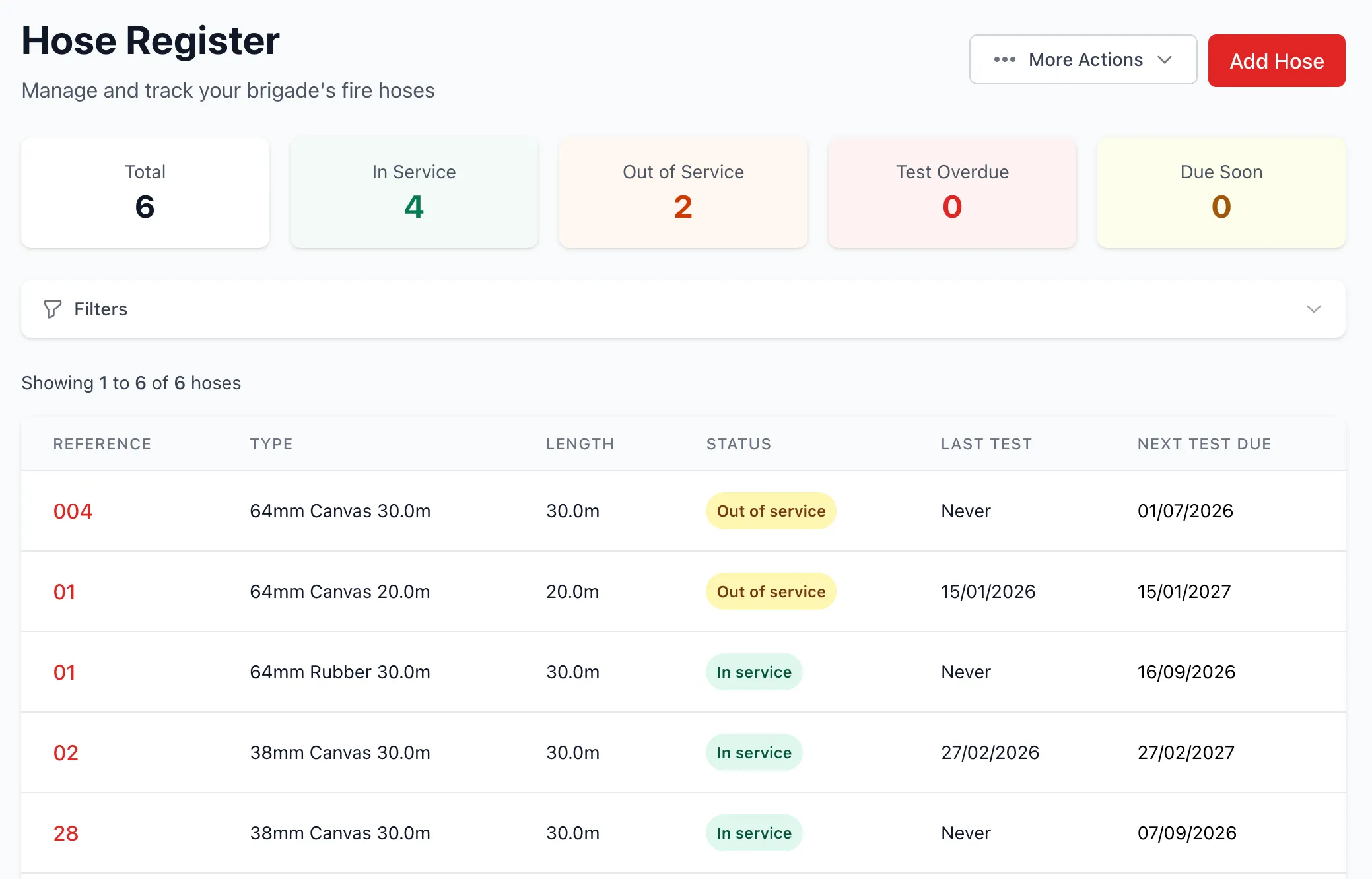
Overview
Section titled “Overview”Hose Management enables:
- Hose inventory tracking
- Automated test scheduling (interval configurable per brigade)
- Pass/fail test results
- Repair tracking and history
- Status management (in service, out of service, retired)
- Soft delete capability
- Compliance reporting
Hose Records
Section titled “Hose Records”Each hose includes:
- Reference number: Unique identifier
- Coupling type: Connection type (Storz, BSP, etc.)
- Diameter: Hose diameter (e.g., 38mm, 64mm)
- Length: Hose length in meters
- Material: Construction material
- In service date: Date hose was commissioned
- Status: Current operational status
- Next test due: Automatically calculated
Hose Status
Section titled “Hose Status”Hoses can have three statuses:
In Service
Section titled “In Service”- Actively used and operational
- Available for deployment
- Must be tested on schedule
Out of Service
Section titled “Out of Service”- Temporarily unavailable
- Triggered by failed test with repair needed
- Returns to in_service after passing test
Retired
Section titled “Retired”- Permanently removed from service
- Failed test with retirement flag
- Cannot return to service
- Retained in system for records
Hose Testing
Section titled “Hose Testing”Test Schedule
Section titled “Test Schedule”Configurable test cycle (default: 12 months):
- Testing interval: Set by brigade admins in Settings (1, 3, 6, or 12 months)
- In service date: Initial test due based on configured interval from commissioning
- After each test: Next test due based on configured interval from test date
- Overdue tracking: Dashboard warnings for overdue tests
- Due soon: Alerts for tests due within 30 days
Conducting Tests
Section titled “Conducting Tests”Test workflow:
- Select hose for testing
- Perform physical test (pressure test, visual inspection)
- Record test result (pass/fail)
- Add test notes
- Submit test record
Test Results
Section titled “Test Results”Pass
- Next test due date set based on your brigade’s configured interval (default: 12 months)
- Status remains in_service
- Hose available for use
Fail + Retire
- Status changed to retired
- Permanently removed from active inventory
- Retained for historical records
Fail + Repair Needed
- Status changed to out_of_service
- Repair record created
- Hose unavailable until repaired and re-tested
Hose Repairs
Section titled “Hose Repairs”Creating Repairs
Section titled “Creating Repairs”Repairs can be triggered by:
- Failed hose test
- Manual creation for damage
- Preventive maintenance
Repair Records
Section titled “Repair Records”Each repair tracks:
- Hose: Associated hose
- Repair date: When repair was performed
- Repair type: Nature of repair (coupling, patch, etc.)
- Performed by: User who completed repair
- Notes: Repair description and details
- Cost: Optional repair cost tracking
Repair Workflow
Section titled “Repair Workflow”- Identify issue: Failed test or damage discovered
- Create repair record: Document issue and repair plan
- Perform repair: Physical repair work
- Complete repair: Update record with completion details
- Re-test: Conduct new hose test
- Return to service: If test passes, status returns to in_service
Soft Delete
Section titled “Soft Delete”Hoses support soft delete for data retention:
- Delete action: Sets
deleted_attimestamp - Hidden from active lists: Not shown in standard views
- Recoverable: Can be restored if needed
- Historical data: Retained for reporting and compliance
- Test history: All tests and repairs preserved
Reporting
Section titled “Reporting”Generate hose management reports:
- Inventory report: All hoses by status
- Test schedule: Upcoming and overdue tests
- Test history: Past test results by hose
- Repair history: Repairs by hose or date range
- Compliance: Test coverage and completion rates
Best Practices
Section titled “Best Practices”Hose Identification
Section titled “Hose Identification”- Use clear reference numbers (e.g., H-001, STATION1-38MM-01)
- Label physical hoses to match system
- Include coupling type in reference for quick identification
- Document diameter and length clearly
Testing Schedule
Section titled “Testing Schedule”- Test hoses before due date to allow time for repairs
- Batch test hoses by location or type for efficiency
- Review test results promptly
- Address failed tests quickly
Configuring Test Interval
Section titled “Configuring Test Interval”Brigade admins can customize the testing interval:
- Go to Brigade Settings → Features tab
- Find the Hose Testing Settings section
- Select your preferred interval: Monthly (1 month), Quarterly (3 months), Bi-annual (6 months), or Annual (12 months)
- Click Save Hose Testing Settings
The interval applies to all hoses in your brigade. New units default to 12 months.
Repair Management
Section titled “Repair Management”- Document repairs thoroughly
- Track repair costs for budgeting
- Identify patterns (recurring failures)
- Replace hoses with excessive repair history
Status Management
Section titled “Status Management”- Retire hoses that fail multiple times
- Keep out_of_service duration minimal
- Review retired hoses annually for disposal
- Maintain adequate in_service inventory
Inventory Planning
Section titled “Inventory Planning”- Track hose age and usage
- Plan replacement budget
- Maintain spare inventory
- Consider hose type standardization