Stock Management
The Stock Management system allows brigades to track consumable inventory, manage stock levels, and automate reordering when supplies run low.
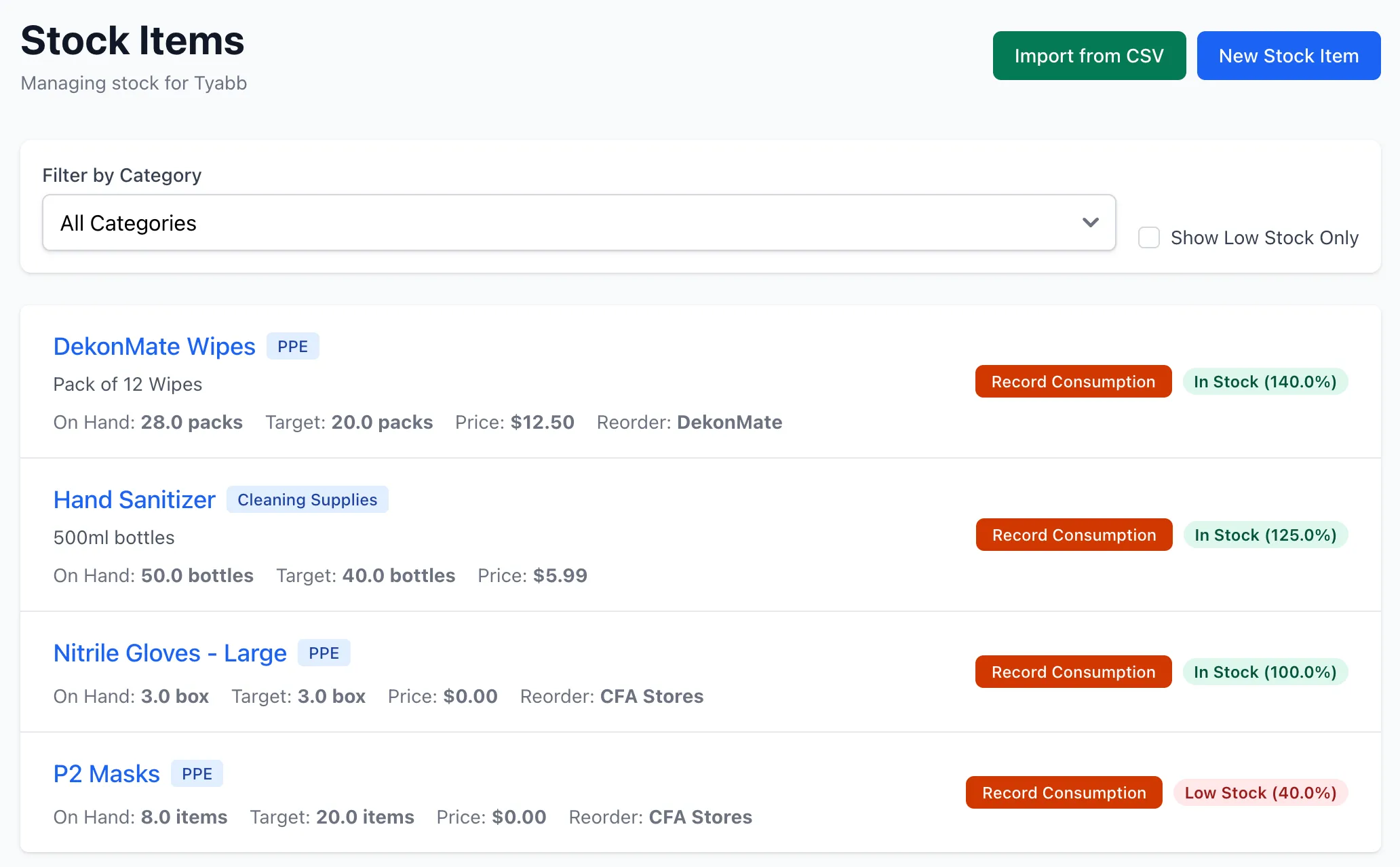
Overview
Section titled “Overview”Stock Management provides:
- Inventory tracking with quantities and reorder thresholds
- Automatic action generation when stock falls below target
- Complete audit trail of all stock movements
- Public stock consumption for unauthenticated users
- Integration with inspections for in-field restocking
- Manual reorder actions for stocktakes and planning
Stock Items
Section titled “Stock Items”Stock items represent consumable inventory that needs tracking. Each item includes:
- Basic Information: Name, description, category, SKU
- Inventory Levels: Quantity on hand, target quantity, unit of measure
- Pricing: Current unit price (updated with restocks)
- Lifecycle: Shelf life in days, last stocked date
- Supplier: Reorder source information
- Access Control: Public consumption toggle
Categories
Section titled “Categories”Stock items are organized into predefined categories for easier management:
- PPE
- Medical Supplies
- Cleaning Supplies
- Tools & Equipment
- Uniforms & Clothing
- Food & Beverages
- Office Supplies
- Vehicle Supplies
- Communications
- Other
Stock Operations
Section titled “Stock Operations”The system tracks three types of stock operations:
Consumption
Section titled “Consumption”Records stock usage with quantity, optional vehicle assignment, and reason. When consumption drops stock below the target quantity, a reorder action is automatically created.
Restocking
Section titled “Restocking”Records stock replenishment with quantity and optional price updates. When restocking brings stock above the target quantity, any active low stock actions are automatically resolved.
Adjustments
Section titled “Adjustments”Corrects stock levels during stocktakes without triggering automatic actions, maintaining an audit trail of changes.
Automatic Action Management
Section titled “Automatic Action Management”The system automatically creates and resolves reorder actions to help maintain stock levels.
Automatic Creation
Section titled “Automatic Creation”When stock consumption drops quantity below the target threshold, the system automatically:
- Creates an action with status “open”
- Links it to the stock item
- Includes current and target quantities in action notes
- Sends email notifications to unit managers
- Prevents duplicate actions (only one active action per stock item)
Automatic Resolution
Section titled “Automatic Resolution”When restocking brings quantity back above the target threshold, the system automatically:
- Resolves any active low stock actions
- Records the new quantity level in resolution notes
- Clears the action from the active list
Manual Actions
Section titled “Manual Actions”For stocktakes, preemptive ordering, or special purchases, administrators can manually create reorder actions from the stock item detail page. These work alongside automatic actions but require manual resolution.
Stock History & Audit Trail
Section titled “Stock History & Audit Trail”Every stock operation creates a permanent history record tracking:
- Change type (consumption, restock, adjustment, initial)
- Quantity change (positive or negative)
- Resulting quantity after operation
- User who performed the operation (null for public consumption)
- Associated vehicle (if applicable)
- Reason or notes
- Price at time of operation
- Timestamp
This audit trail enables:
- Consumption pattern analysis
- Usage cost calculations
- Inventory audits
- Discrepancy investigation
Low Stock Detection
Section titled “Low Stock Detection”Stock items are flagged as “low” when quantity on hand falls below the target quantity. Low stock items:
- Display visual warning indicators with color-coded percentages
- Appear in filtered “low stock” views
- Trigger automatic action creation
- Generate email alerts to unit managers
Stock health is indicated by percentage of target:
- Above 100%: Overstocked (green)
- 80-100%: Healthy (green)
- 50-79%: Warning (yellow)
- Below 50%: Critical (red)
Public Stock Consumption
Section titled “Public Stock Consumption”Stock items can be made available for public consumption through the brigade’s public page. This feature requires:
- Unit-level public stock toggle enabled
- Item-level public consumption toggle enabled for specific items
- Both settings must be active for items to appear publicly
Public users can:
- Scan the brigade QR code to access the public page
- View only stock items marked as publicly consumable
- Record consumption with quantity and optional vehicle selection
- Consumption is recorded without authentication (user_id is null)
Security features include validation to prevent over-consumption and complete audit trail maintenance.
Integration with Inspections
Section titled “Integration with Inspections”Stock items can be linked to inspection template questions, allowing responders to record consumption or restocking during field inspections. This integration maintains workflow continuity and ensures real-time stock tracking.
Permissions
Section titled “Permissions”Stock management operates with role-based permissions:
- View: All authenticated unit members
- Create/Edit Items: Unit administrators and above
- Record Operations: Unit administrators and above
- Public Consumption: No authentication required (when enabled)
Related Features
Section titled “Related Features”- Actions - Manage reorder actions
- Public Access - Public stock consumption
- Inspections - Inspection-based restocking